


All your Android phones. One place to control, find and protect them.
A private device mesh for your Android phones, with a Windows companion that backs up your photos and videos to your own PC.
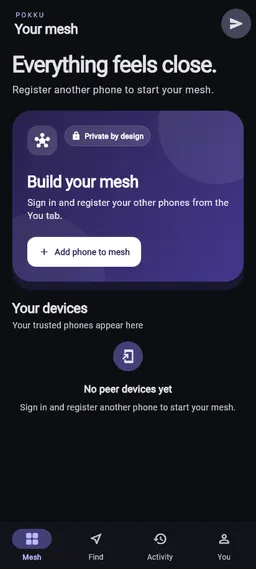
What Pokku does
Every phone, one tap away.
Find a phone
Ring a misplaced phone even when it is on silent, flash or vibrate it, see its last-known location, and follow map and camera guidance toward it.
Missed calls
Get an alert on your other phones, WhatsApp calls included, and call back from the phone in your hand.
Pokku Drop
Send links, text, map points and files between your phones.
You decide who can do what
Phones join only by a QR code you approve. Change or revoke any phone's access instantly.
Back up to your own PC
Photos and videos go straight to Windows over your network. Never our servers.
Manage multiple phones
See battery, charging, sound mode, storage and last contact for all your phones at a glance.
Set up in a minute
- 01
Install Pokku
On every Android phone you want in your mesh.
- 02
Scan to connect
Approve each phone with a one-time QR code.
- 03
Add your PC (optional)
Install Pokku Desktop to back up photos and videos.
For Windows
Pokku Desktop
The Windows companion for Pokku. Link it to your phones to back up selected photos and videos to your PC over your local network.
Questions about Pokku? Visit support →